
How do I manage my Fluency Family?
Your Fluency Family is the immediate family of the original purchaser who will practice together in the TalkBox.Mom App.
You can manage your Fluency Family anytime by adding family members, changing names or colors, choosing which languages each person practices, and updating your family name.
Note: App access stays with the family who initially purchased the program and can’t be transferred or resold.
How do I open my Profile?
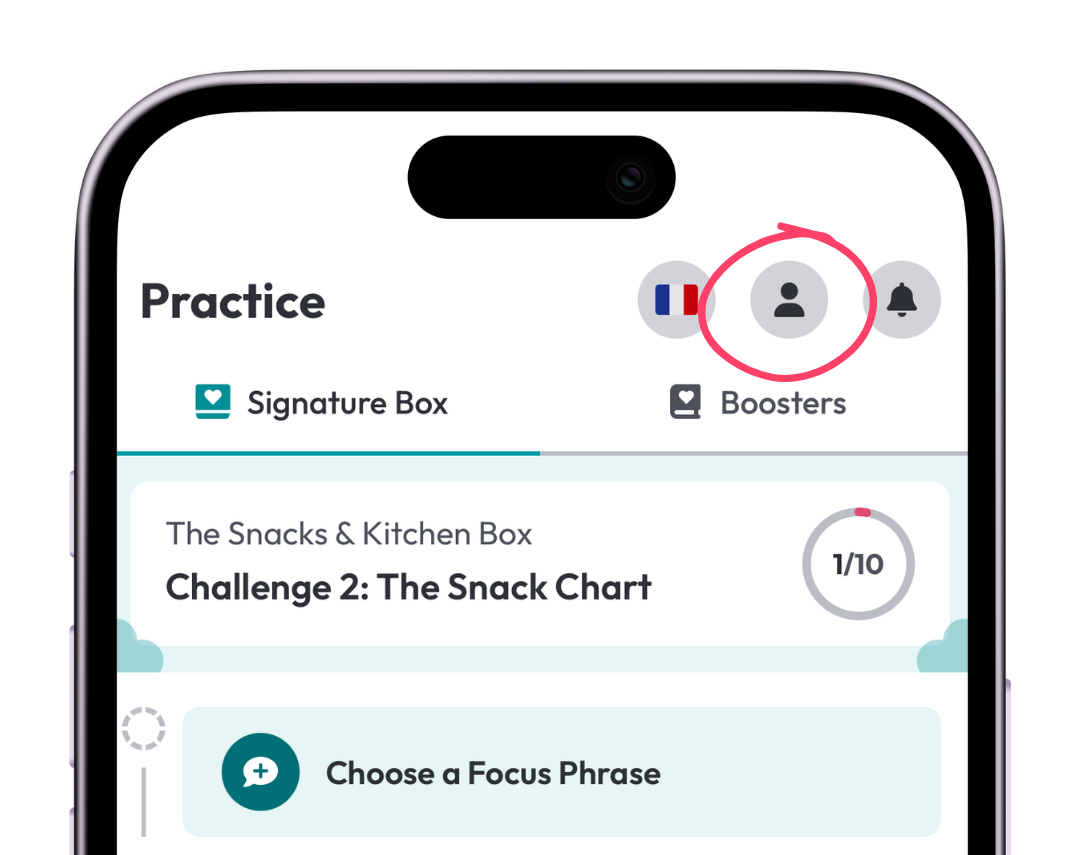
Tap the profile icon in the top-right corner of the app.
How do I change a family member’s name or color?
Tap the family member you want to edit.
Choose a different profile color or change their name, then tap Save Changes.
How do I add another family member?
From your Profile, tap Add.
If you don’t see the Add button, tap See All, then tap Add Member.
Add their name, choose a profile color, and select the languages they’ll practice.
How do I change which languages a family member practices?
Tap the family member’s name, then tap Practicing Languages.
Check the languages they practice and deselect any they don’t.

If someone doesn’t practice one of your languages, deselect that language for their profile so they won’t appear as a participant when you practice in that language.
How do I change my family name?
From your Profile, tap the pencil icon next to your family name.
Enter the new family name, then tap Save Changes.