
How do I switch languages in the app?
If your family uses TalkBox.Mom in more than one language, you can switch between languages anytime without losing your place.
Each language keeps its own progress. Switching languages won’t change where you are in your other languages.
1. Tap your current language
From the Practice screen, tap the flag at the top of the app.
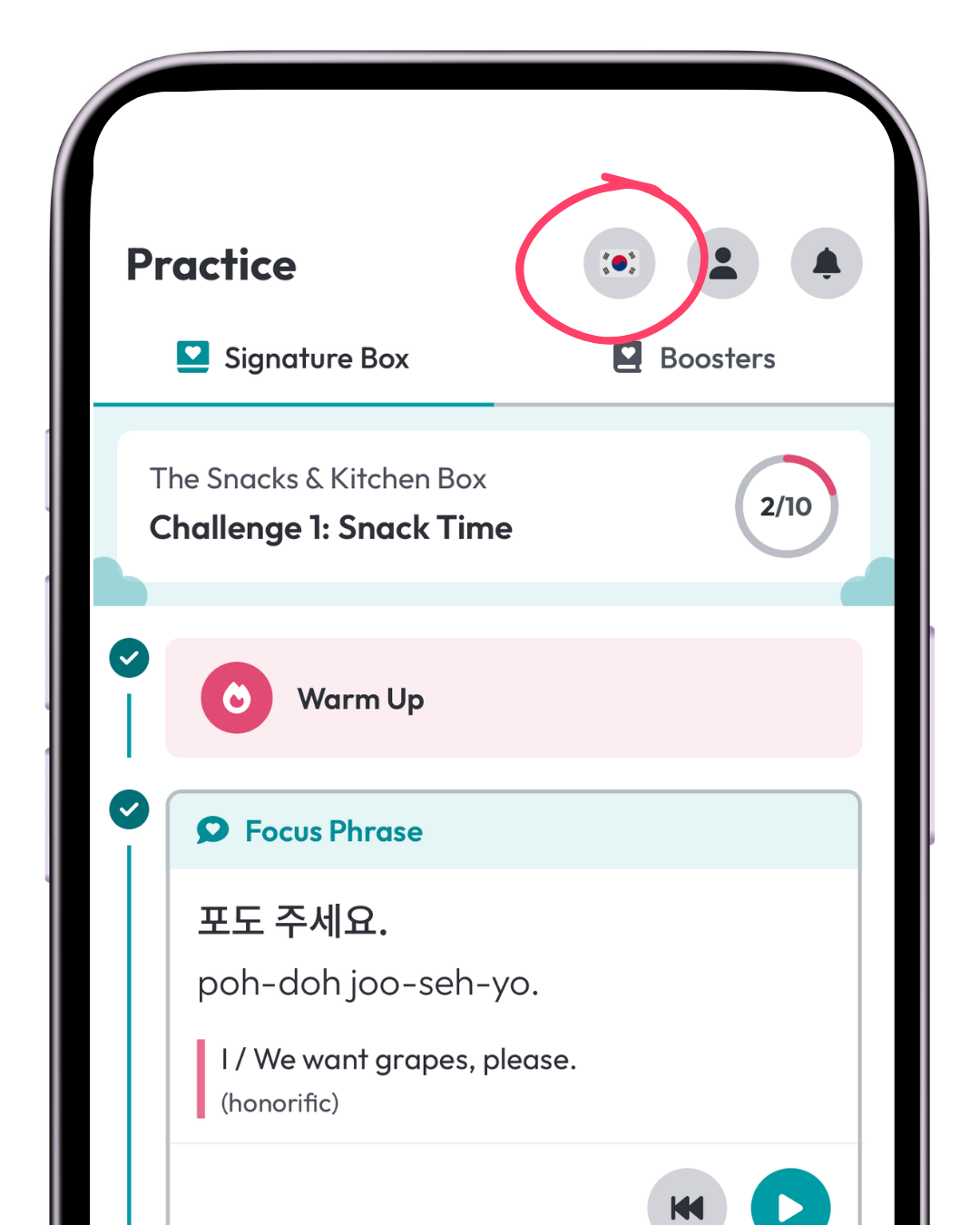
2. Choose a language
Tap the language you want to switch to.
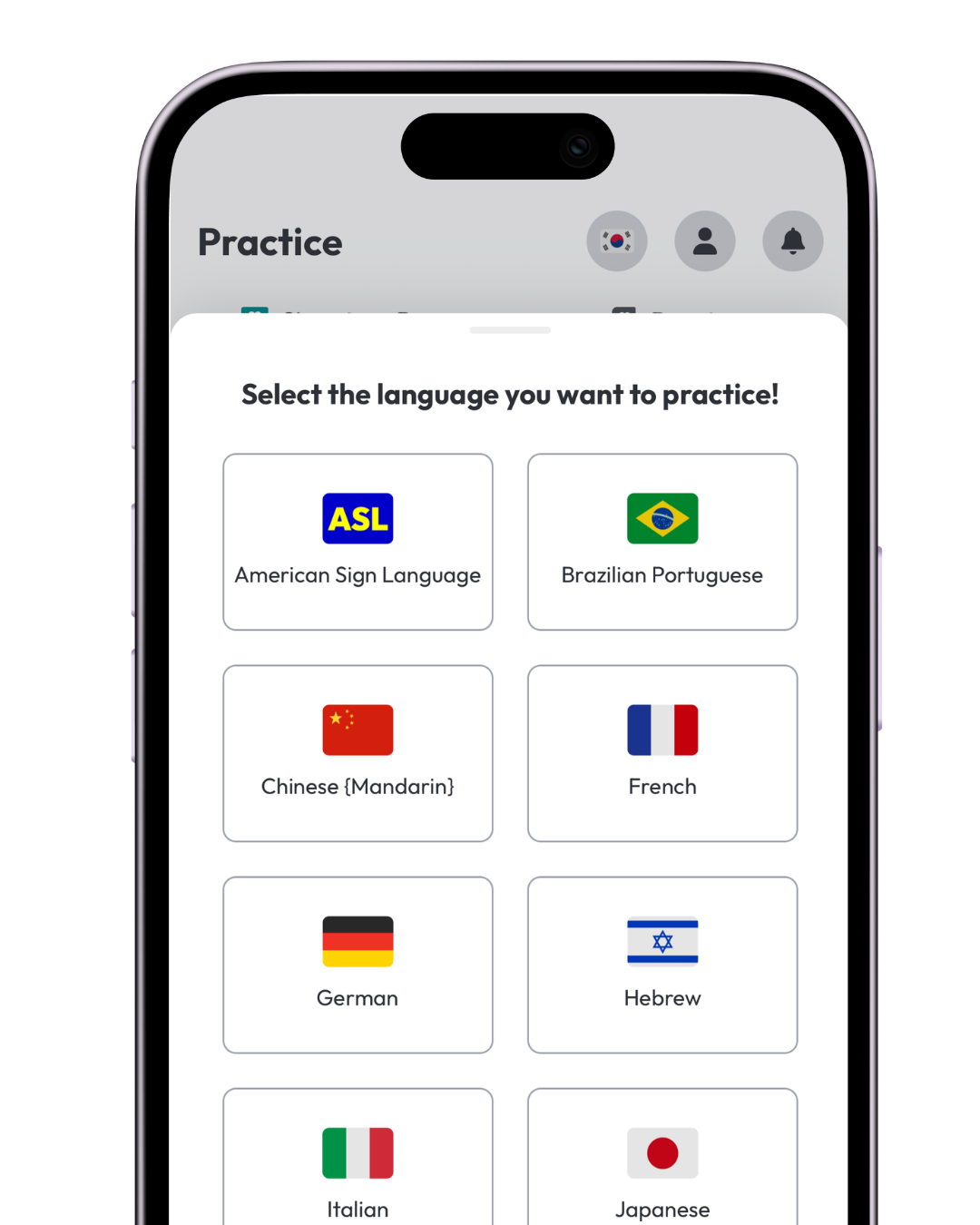
If you own that language, you’ll see your TalkBox.Mom content and continue from wherever you left off.
If you select a language you don’t own yet, you can still explore sample content.
- For the Signature Box, you can try the Mini Snack Chart.
- For Boosters, you can try sample phrases from the Phrasebook.
3. Keep practicing where you left off
Your progress is tracked separately for each language you own.
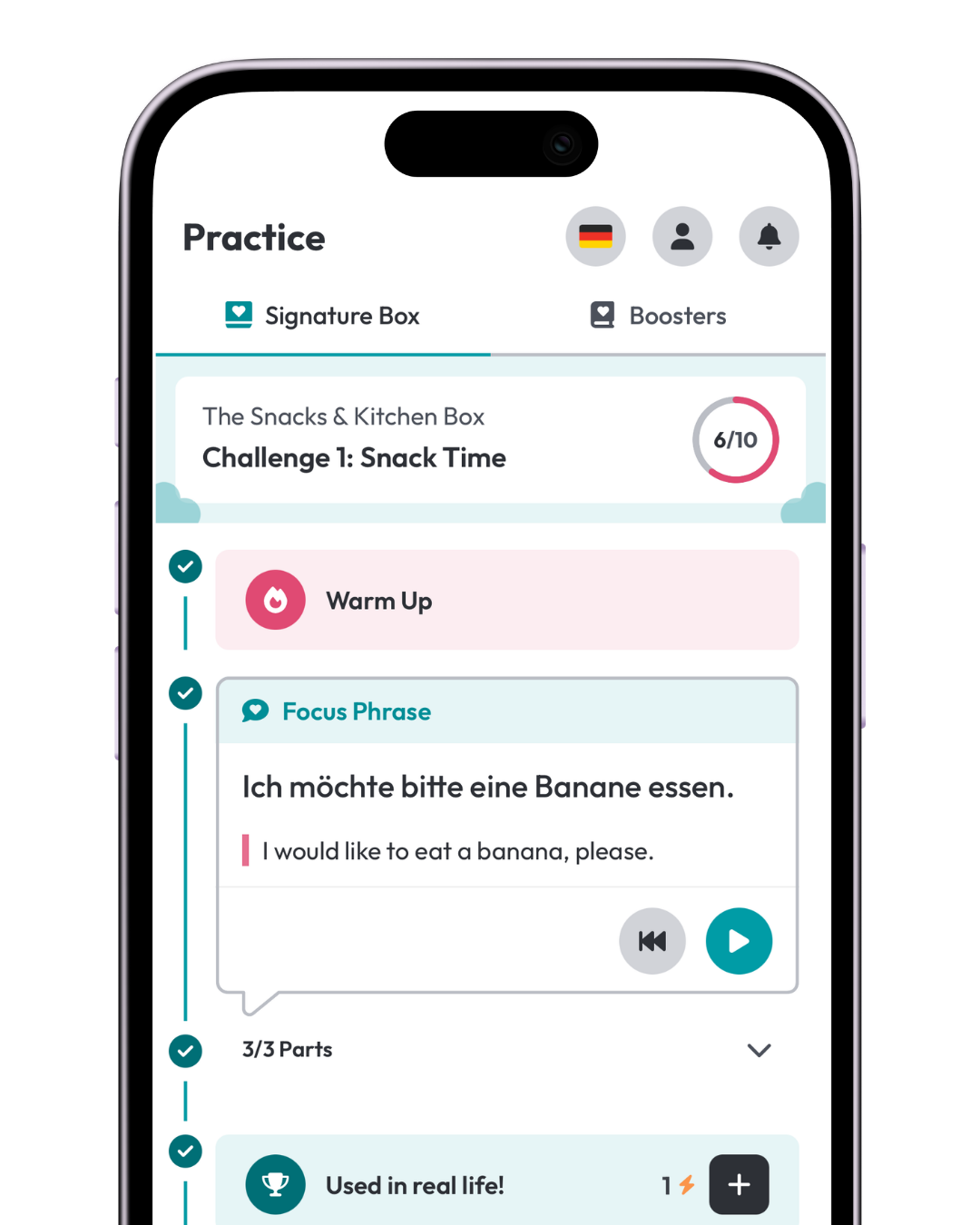
Each language keeps its own:
- Box and Challenge progress
- Practice Sessions
- Focus Phrases
- Warm Ups
- Reviews
- Recent phrases
Switch back whenever you want, and everything will be right where you left it.
What if I started TalkBox.Mom before the new app?
If you started TalkBox.Mom before September 7, 2026, you can log your past progress separately for each language you own.
When you switch to another purchased language for the first time, the app will give you the option to record where you are in that language too.
If the option to log your past progress doesn’t appear automatically, email us at support@talkbox.mom and we can manually trigger it for you.
The Tours, Challenges, Practice Sessions, and Focus Phrases you enter should only reflect your progress in the language you currently have selected.
Can my family work on more than one language at the same time?
Yes!
Switch between your languages whenever you want. Each language’s progress stays separate, so practicing one won’t move or reset your progress in another.