
How do I choose a Focus Phrase?
Your Focus Phrase is the phrase your family will practice and start using in real life during your Practice Session.
Choose a phrase you can add to your life so your family can keep talking more in the language.
For the Signature Box Program your Focus Phrase doesn’t have to be something you already say all the time — just something you can use because you do that activity or can easily work it into a routine.
This will help you add the language to more of your day.
1. Tap Choose a Focus Phrase
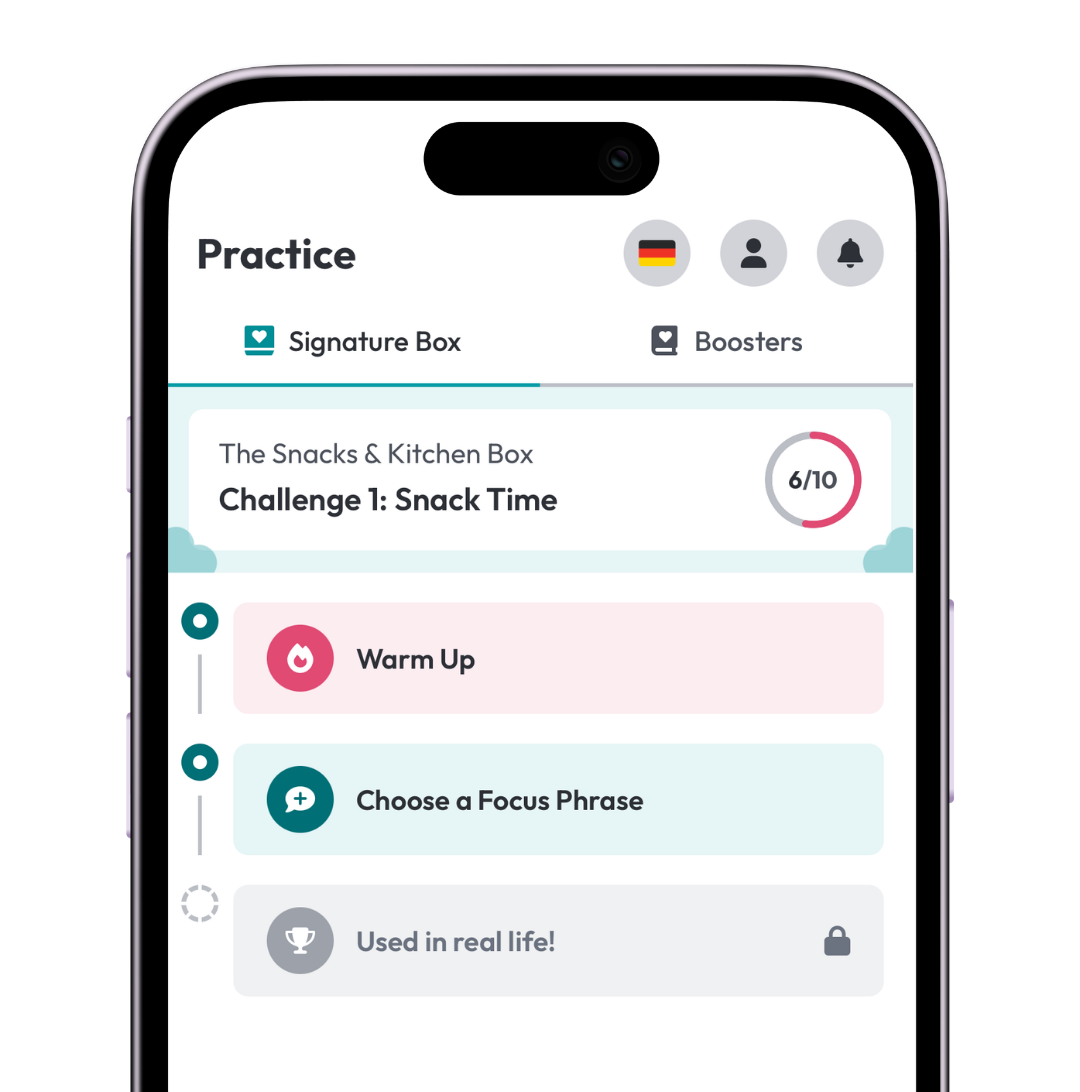
From the Practice screen, tap Choose a Focus Phrase.
You can browse the phrases in your current Challenge or use the search bar to find the exact phrase you want.
2. Search by keyword
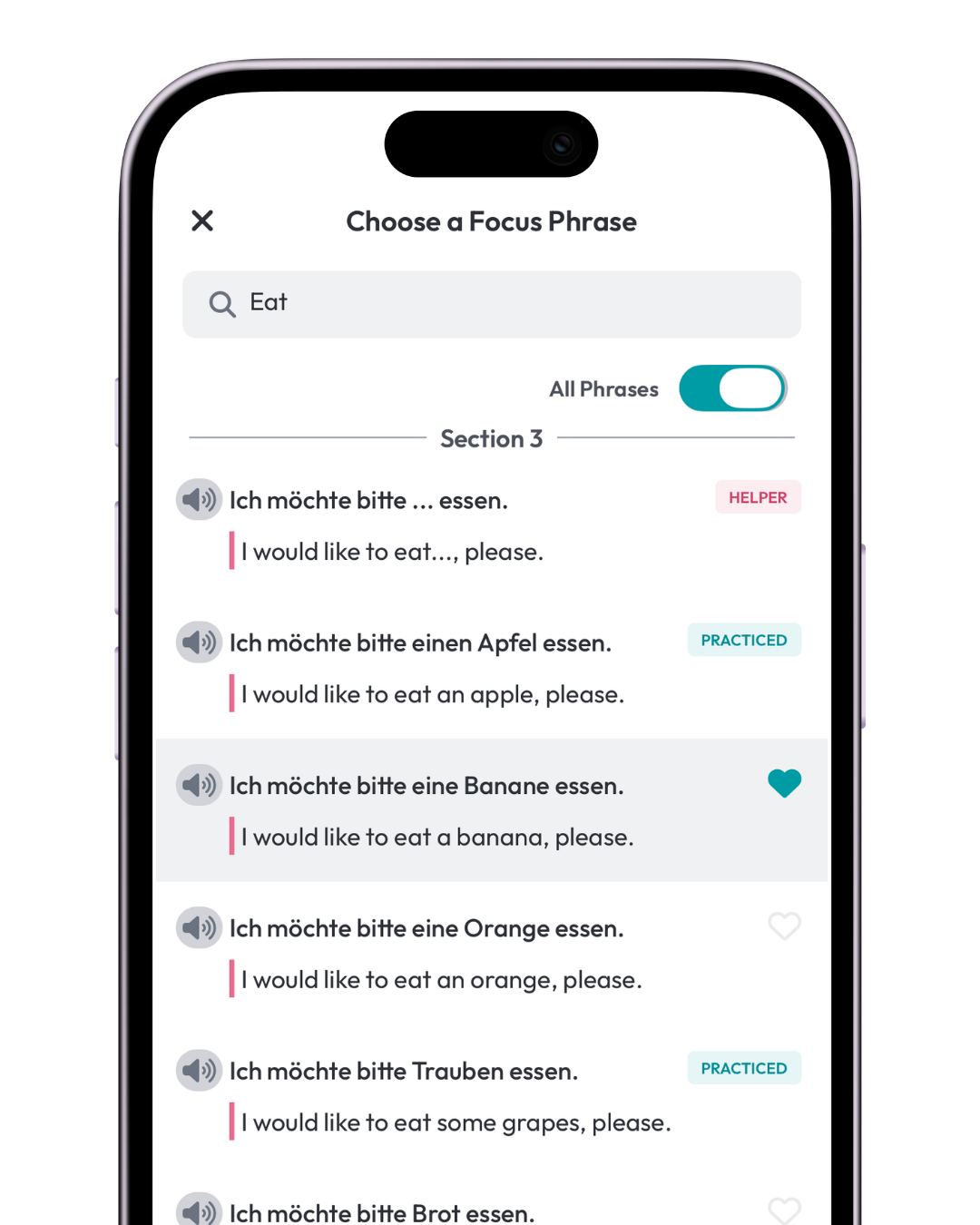
Instead of scrolling through every phrase, type a keyword from the phrase into the search bar.
For example, if you want to practice “Do you want an apple?”, you could search apple.
Then choose the exact phrase variation that matches what you want to say.
You can also tap the audio icon while you’re choosing a phrase to hear how it sounds before you select it.
3. Tap the heart next to your phrase
Tap the heart beside the phrase you want to practice.
You can choose up to 2 Focus Phrases for one Practice Session.
Should I choose one phrase or two?
For most Fluency Families, one Focus Phrase is perfect!
For faster and deeper progress, choose one phrase and complete your Practice Sessions more often.
For other languages, we generally recommend choosing a second Focus Phrase when:
- one of the phrases is very short
- you’ve already completed a Tour through your Boxes
- you’re using TalkBox.Mom for high school credit
For Hebrew: we recommend choosing both the female and male versions when applicable.
For Korean: we recommend choosing either the honorific versions or the non-honorific versions — but not both.
What do the labels next to some phrases mean?
Helper
A vocabulary word or phrase pattern that helps you understand or build the full phrase but isn’t practiced on its own.
Helper phrases don’t have a heart because they’re there to support you in choosing and using a full Focus Phrase.
Practiced
You’ve practiced this phrase before, or you’ve selected it as your first phrase to practice.
4. Tap Done
Once you’ve selected your Focus Phrase or Focus Phrases, tap Done.
If you still have a Warm Up to complete, you can choose your Focus Phrase now, but you’ll need to finish the Warm Up before you can begin practicing it.
Then the app will guide you into your Practice Session.
Can I change my Focus Phrase?
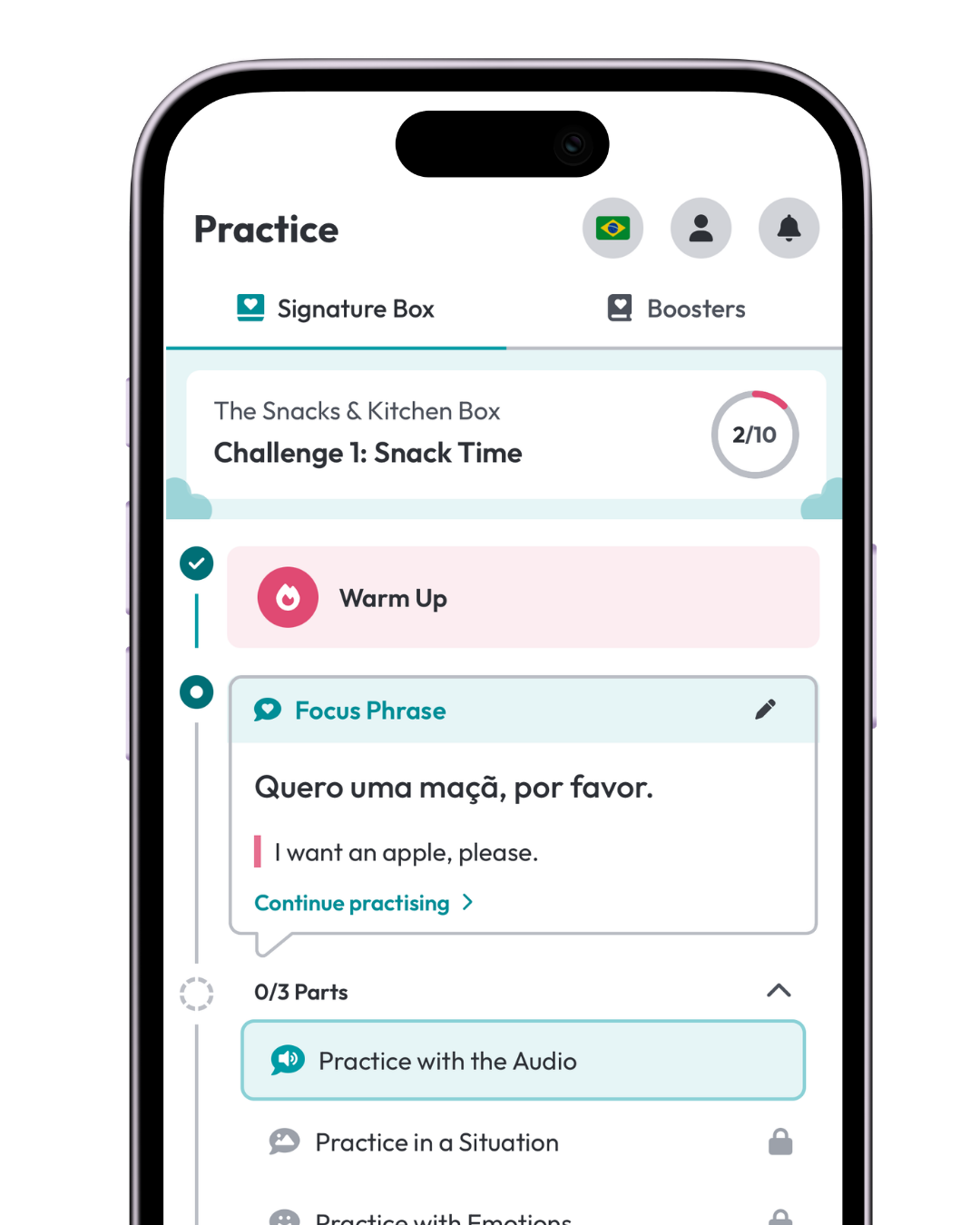
Yes, but only before you move on to Practice in a Situation.
When you’re choosing a Focus Phrase, you can play the audio first to hear how it sounds before you select it.
After you choose it, you can still change your Focus Phrase while you’re in Practice with the Audio. If you close the Practice Session before moving on, return to the Practice screen and tap the pencil icon next to your Focus Phrase.
Once you select the family members who practiced with the audio and tap Continue into Practice in a Situation, your Focus Phrase can no longer be changed for that Practice Session.